Type-Safe Computer Vision · Part 2 of 3
128 Is Not the Middle
Average a black pixel and a white pixel. Your code computes 127.5, rounds it to 128, and stores it. That answer is wrong by a margin you can see from across the room, and it is in nearly every resize you have ever written.
A one-line quiz
You are downscaling a tiny image: a 2×2 checkerboard of pure black and pure white, shrinking to a single pixel. Physically, that pixel should emit exactly half the light of white, because it replaces an area that was half black, half white. What value do you store?
50% black, 50% white
mean = 127.5 → 128naive byte average, clearly too dark
average in light = 188what half of white’s light actually looks like
the same patternone square per screen pixel
If your answer was 128, so was nearly every image library, browser, and game engine for years, and it is still the default in most computer-vision code today. It is also measurably, visibly wrong. The correct answer is 188.
The trick: pixel values aren’t light
Here is the secret those three bytes never told you. The numbers stored in an ordinary image (a JPEG, a PNG, a camera frame) are not amounts of light. They are sRGB-encoded values: light that has been run through a compression curve (a “gamma” curve) before storage. The curve exists for a good reason: human vision is far more sensitive to differences in shadows than in highlights, so encoding spends more of its 256 codes on dark tones. But it means the scale is not linear:
- stored 128 → only ≈22% of white’s light
- stored 188 → ≈50%
- if values were light (they aren’t)
Follow the checkerboard through both pipelines, with the actual numbers:
stored bytes
mean(0, 255, 255, 0) = 127.5
128 ✗stored bytes
decode to light
mean = 0.5
0.5re-encode
188 ✓This is every resize, every blur, every blend
“Fine,” you say, “but who averages checkerboards?” You do. Constantly. Downscaling an image averages neighborhoods of pixels. Bilinear interpolation is a weighted average of four pixels. Gaussian blur is a weighted average of many. Alpha blending, anti-aliasing, feathered masks, image pyramids. All of it is the same operation: a weighted average of pixel values. Run any of them on encoded values and every output pixel that mixes different values is pulled toward black, exactly as 128 was, and the harder the contrast, the further.
Interpolation makes the damage easy to see. Ask for the point halfway between a dark pixel (40) and a bright pixel (220):
interpolating the stored bytes
40mid = 130 ✗220
interpolating in linear light
40mid = 163 ✓220
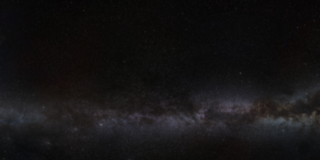
averaged as bytes
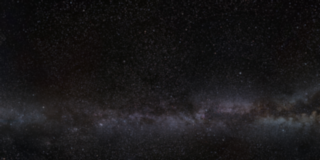
averaged in light
gamma_thumbnails in fovea-examples, which prints the measured difference.This is why gamma-ignorant thumbnails look slightly lifeless, why blurred highlights grow dark halos, and why Eric Brasseur’s gamma test image (a fine black-and-white pattern whose structure survives a correct downscale) collapses into flat gray in essentially every scaler he tried. The internet has re-discovered this bug on a loop for two decades: Pillow closed the request as out of scope, imgproxy and darktable carry the same report, and it still ships in production, everywhere, today.
Try it with your own photo
Both thumbnails below are computed here, in this page, with the same box average over the same blocks. The only difference is whether the sRGB curve is decoded first. Nothing is uploaded: the file never leaves your machine.
averaged as bytes
averaged in light
Small bright things on a dark ground show it best: a night sky, city lights, sparkle on water. Flat, mid-tone photos have little to mix and will barely differ.
Nobody’s math was wrong. The average was computed perfectly, on numbers that were never averages-compatible in the first place.
Look at what kind of bug this is
Once more, there is no logic error. The interpolation formula is textbook-correct. The bug is that the formula was applied to encoded values as if they were linear ones: two kinds of numbers that happen to share the same byte width, living in the same arrays, with nothing anywhere to tell them apart. That’s not a logic bug. It is a type bug. An ndarray of uint8 cannot say “I am gamma-encoded; please don’t do arithmetic on me,” so nothing stops you. Or your teammate. Or the coding agent that wrote cv2.resize into your pipeline, exactly as ten thousand tutorials taught it to.
What if the image knew it was encoded?
In fovea, gamma-encoded and linear pixels are different types. Srgb8 and Rgb8 have identical bytes, but only the linear one implements the trait that blending operations require. The compiler knows the difference, so it enforces the physics:
use fovea::pixel::{Srgb8, RgbF32};
use fovea::transform::{Bilinear, SrgbGamma, convert_image, resize};

let photo: Image<Srgb8> = /* decoded from a PNG, gamma-encoded like every photo */;

resize(&photo, Size::new(800, 600), Bilinear);
// error[E0277]: `Srgb8` does not implement `LinearSpace`
//   = interpolation blends samples; blending gamma-encoded
//     values is not meaningful
The compile error is the lesson from this article, delivered at the exact line where it applies, before the program ever runs. And the fix reads like the green path in Fig. 3: decode, operate, re-encode, each step named:
// 1. decode the gamma curve, bytes become linear light
let light: Image<RgbF32> = convert_image(&photo, SrgbGamma);

// 2. now averaging is physically meaningful, resize away
let small = resize(&light, Size::new(800, 600), Bilinear);

// 3. re-encode for storage/display
let out: Image<Srgb8> = convert_image(&small, SrgbGamma);
Note what the type system did not do: it didn’t silently linearize behind your back, and it didn’t forbid anything useful. If you genuinely want nearest-neighbor sampling on encoded data (which copies pixels and never blends them), that compiles fine, because it’s actually valid. The rule is precise: operations that mix values require values that may be mixed. Everything the checkerboard taught us, encoded in one trait bound.
One line of forum wisdom (“convert to linear before you blur”) has been repeated for twenty years and forgotten for twenty years. A type checker never forgets. As more vision code gets written by agents trained on those very tutorials, the difference between advice and a trait bound is that one of them is enforced.
So far our bugs lived inside a single image. The final part climbs a whole stack of them: image pyramids and scale-space, where sizes stop matching, coordinates drift by half a pixel per level, and one library packed three numbers into one integer and called it an octave.